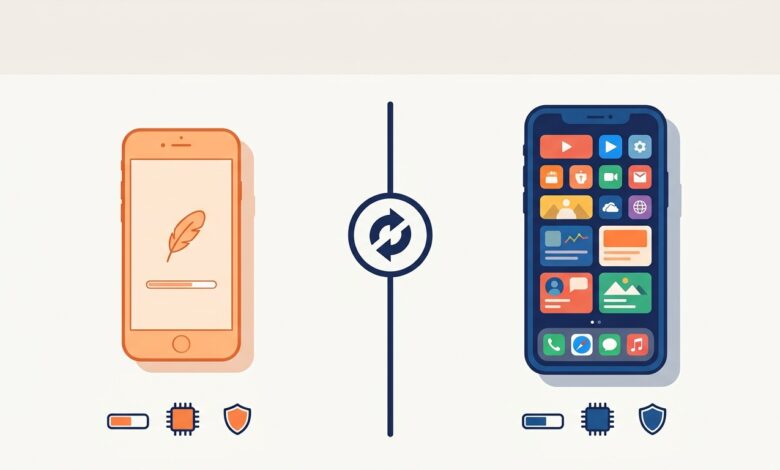
The names are nearly identical, the icons look alike and the download pages often sit side by side, so it is easy to grab the wrong one. People type uc browser apk, ucbrowser download or uc browser app when they actually want the lighter app, and the reverse happens too. This article explains exactly how UC Browser and UC Mini differ, what each is good at and how to approach the uc browser app download and the Mini download without mix-ups. For everything about the smaller app, see our main UC Mini browser download guide.
Quick answer: UC Browser is the full-size flagship with more features and content. UC Mini is the lighter version built for low-end phones and small storage. Both come from UCWeb, both include data saving and an ad blocker, and both carry the same family history of privacy debate.
What Is UC Browser?
UC Browser is the main mobile browser from UCWeb, a company within the Alibaba Group. It grew into one of the most widely used mobile browsers in India and China, and Citizen Lab described it in 2015 as boasting over 500 million users. It is available for Android and has been offered on other platforms in the past. UC Mini, UC Browser HD and the main app are siblings that share a design language but target different devices.
What Is UC Mini?
UC Mini, also described in store text as UC Browser Mini, is the compact edition. Its store descriptions emphasize a tiny package, data saving, a built-in ad blocker and helpful extras for phones with limited specs. The Google Play listing is named “UC Mini-Download Video Status” and highlights video content and downloads.

UC Browser vs UC Mini: Side-by-Side Comparison
| Feature | UC Browser | UC Mini |
|---|---|---|
| Intended phones | Mid-range and high-end | Low-end and storage-limited |
| Install size | Larger | Smaller |
| Memory use | Higher | Lower |
| Feature set | Broader, with more content and tools | Focused on browsing, data saving, ad block and downloads |
| Data saving | Yes | Yes |
| Ad blocker | Yes | Yes |
| Incognito and night mode | Yes | Yes |
| Start page content | More tiles and news | Navigation cards and video content |
| Privacy history | Documented criticism and a 2020 ban in India | Same developer, so the same caution applies |
| Best for | Feature variety | Speed and small footprint |
Since the two apps overlap heavily, the decision mostly comes down to hardware and taste. If your phone struggles, pick UC Mini. If you like extras and your phone copes, UC Browser is a reasonable alternative.
Speed and Performance
On slow connections, both rely on compression to cut data use. The difference lies in overhead. A larger app takes more memory to run and can feel heavier on weak hardware. A smaller app starts faster and leaves more resources for the pages you open. On a modern phone with a good connection, you will probably struggle to notice a difference.
Features and Interface
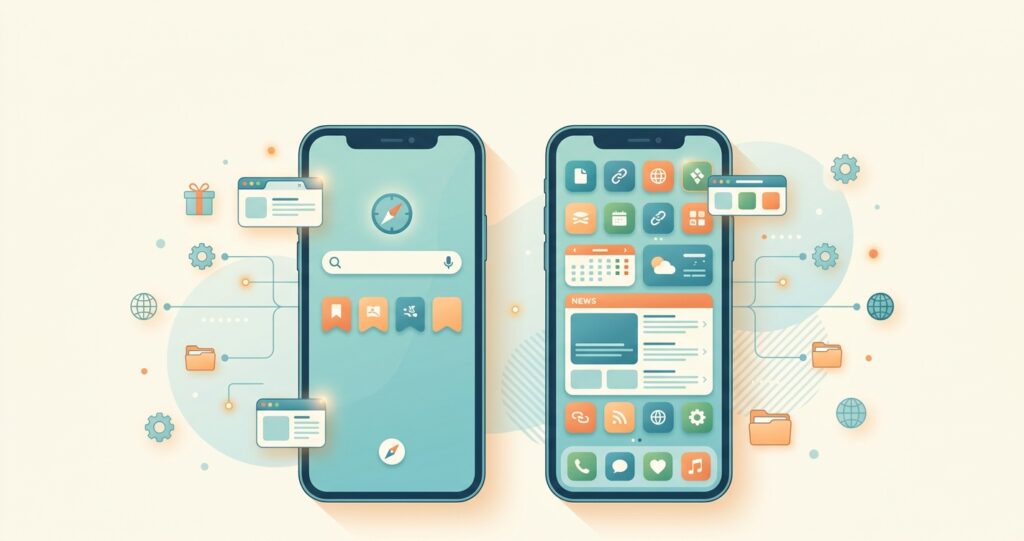
UC Browser tends to offer more built-in services and content, which some users enjoy and others find cluttered. UC Mini sticks closer to the basics. If you want a calmer layout, see how to simplify the start page in our UC Mini Browser install guide.
Privacy and Safety: Same Family, Same Caution
Both apps come from UCWeb, so the history applies to both. Researchers at Citizen Lab criticized the main app’s handling of identifying information and search queries in 2015, and India banned UC Browser in 2020. UC Mini is a separate product that remains listed on Google Play, but it would be misleading to say it is automatically safer simply because it is smaller. Read our full analysis in is UC Mini browser safe and apply the same precautions to either app.
UC Browser App Download: What to Know
When people search uc browser app download, ucbrowser app download or simply uc browser download, they usually face the same choices as with the Mini.
- Store listing. Install from Google Play when it is available for your device and country. The main app has been pulled from the store temporarily in the past, including a short removal in November 2017 over a policy issue, so availability can change.
- APK. Searches such as uc browser apk download and ucbrowser apk download lead to sideloaded files. Verify the source, version number and package name on the official listing before you tap install.
- Desktop. A separate UC Browser edition for Windows has existed, though download portals mostly list older builds.
The safety advice is identical to what we give for the Mini. Our UC Mini APK download checklist works just as well when you are checking a ucbrowser apk file.
Storage and Memory: Why Size Matters More Than It Sounds
A few extra megabytes may sound trivial, but they add up on a phone with 16 GB of storage that is already full of photos, chat media and system files. Apps also grow after installation, because they store cache, downloads and offline pages. A lighter browser leaves more headroom for all of that. Memory matters just as much. Phones with 1 or 2 GB of RAM often close background apps aggressively, so a browser that uses less memory is less likely to restart your pages while you switch between apps.
That is the real-world reason UC Mini exists, and it is also why the comparison is not simply “small versus big.” It is about whether your specific phone has room to spare.
A Download Checklist That Works for Both Apps
- Confirm the developer name and package name on the official listing.
- Compare the version number and file size across more than one source.
- Scan any APK before you open it.
- Grant installation permission only to the app you used for the download, and switch it off afterwards.
- Review permissions on first launch and deny what you do not need.
Which One Should You Download?
| If this describes you… | Pick |
|---|---|
| Phone with 1 to 2 GB of RAM and little storage | UC Mini |
| Very old Android version | UC Mini, see the UC Mini download old version page |
| Capable phone and you like extras | UC Browser |
| You mainly want speed and a small footprint | UC Mini |
| You dislike busy start pages | UC Mini, with the home screen trimmed |
| You care most about privacy | Neither is ideal; consider a privacy-first browser |

What Users Say About the Two Apps
Feedback patterns are fairly consistent. People who prefer UC Mini praise its small size and quick starts, especially on older phones. Fans of the main app mention richer features and content. Common complaints about both include ads, promoted content and past privacy concerns. As always, treat these as tendencies rather than guarantees, and judge by how each runs on your own phone.
Can You Use Both?
Technically yes, because they use different packages. In practice, running both wastes storage and gives you two apps that do nearly the same thing. A more useful pairing is UC Mini for casual browsing plus a privacy-oriented browser for accounts and payments. If you try the pairing, install the Mini through our UC Mini browser FAQ checklist and keep your sensitive logins elsewhere.
FAQ: UC Browser vs UC Mini
Is UC Mini the same as UC Browser?
No. UC Mini is a lighter, simpler edition, while UC Browser is the bigger flagship app.
Which is faster?
On weak phones, UC Mini often feels quicker thanks to its smaller footprint. On powerful phones the gap is small.
Can I use UC Browser on PC?
A separate Windows edition has existed, but many listings are old. For the Mini, you would need an emulator, as covered in UC Mini Browser download for PC.
Is either one banned?
India banned UC Browser in 2020. Availability of both apps varies by region and store.
Final Thoughts
The right choice depends on your hardware and tolerance for extras. UC Mini wins on size and simplicity. UC Browser wins on breadth. Whichever you choose, verify the file, review the permissions and keep sensitive activity in a more privacy-focused browser. When you are ready to proceed, head back to the UC Mini browser download guide or jump straight to the UC Mini 2026 overview.